Cartographer
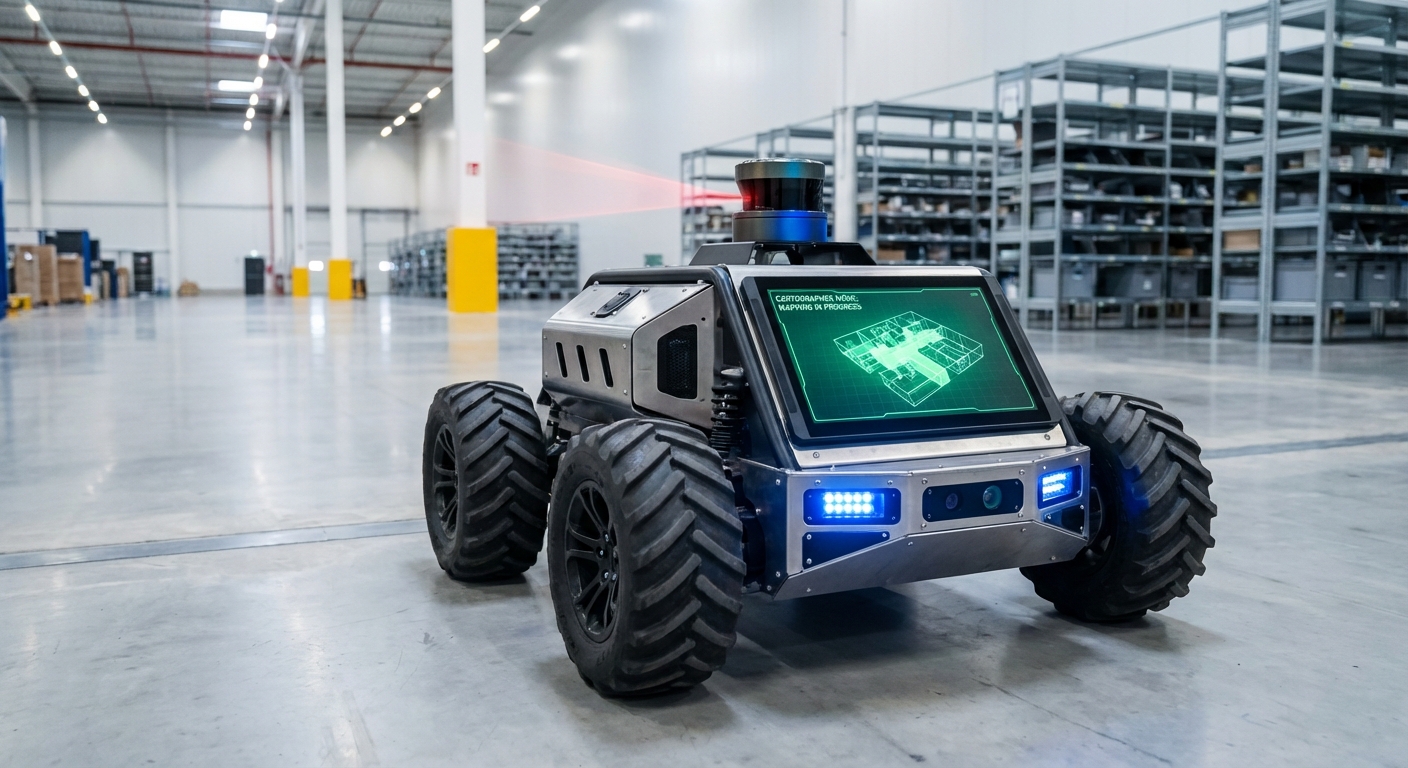
An industry-standard, real-time SLAM (Simultaneous Localization and Mapping) system designed to empower AGVs and mobile robots with precise spatial awareness. Cartographer processes multi-sensor data to build consistent maps and localize robots within centimeter-level accuracy in dynamic environments.
Core Concepts
Real-Time SLAM
Simultaneous Localization and Mapping allows the robot to map an unknown environment while keeping track of its current location, essential for autonomous navigation.
Submap Assembly
The world is divided into smaller, manageable submaps. The system optimizes these local maps individually before stitching them together for global consistency.
Loop Closure
Cartographer recognizes previously visited locations to correct accumulated drift errors, "snapping" the map back into correct alignment instantly.
Graph Optimization
Uses sparse pose adjustment to minimize errors across the entire map trajectory, ensuring the geometry of the warehouse remains accurate over time.
Sensor Fusion
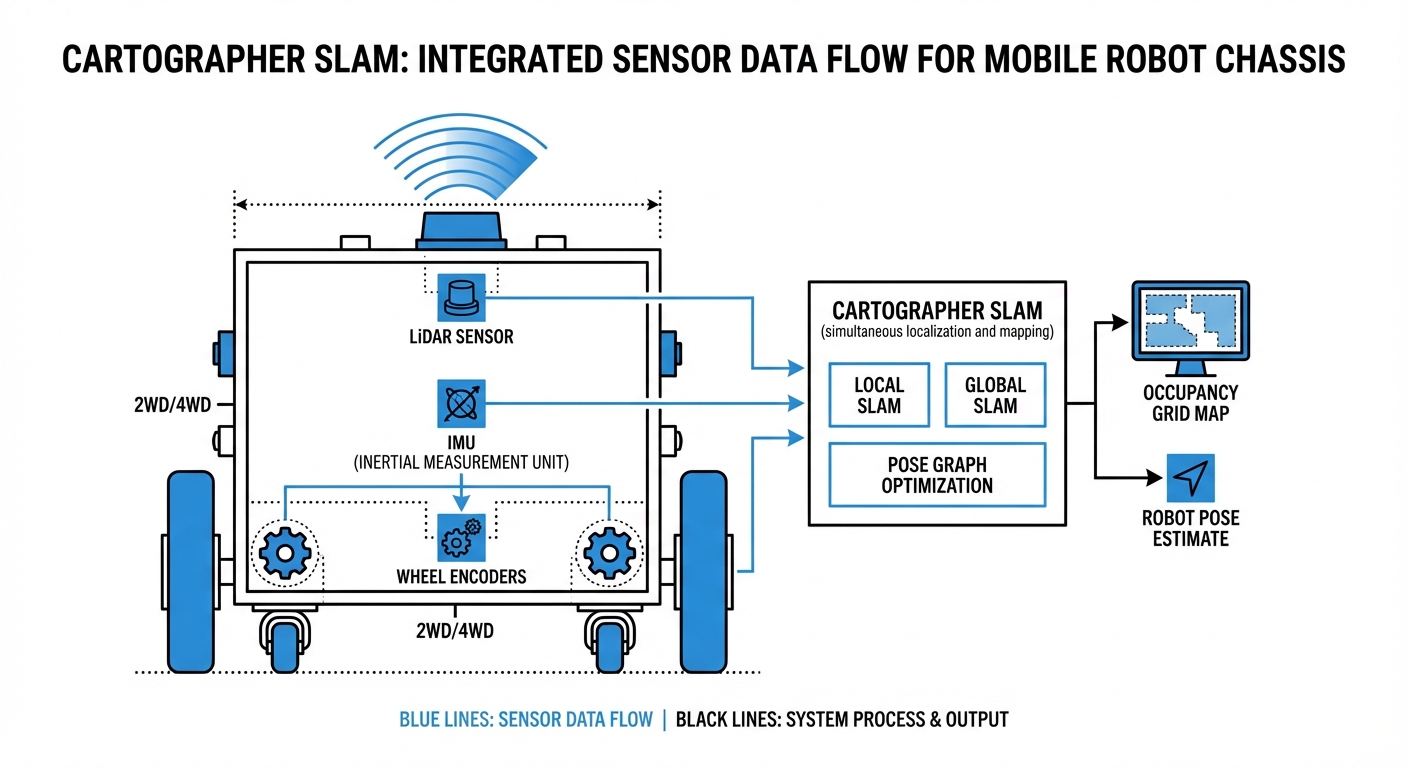
Integrates data from LiDAR, IMUs (Inertial Measurement Units), and wheel odometry to maintain robust localization even when one sensor slips or fails.
Multi-Dimensional
Flexible architecture supports both 2D planar movement (typical for warehouse AGVs) and complex 3D environments (drones or uneven terrain).
How It Works: The Scan Matching Process
Cartographer operates on a two-stage system: Local SLAM and Global SLAM. In the local stage, incoming LiDAR scans are matched against a small, active submap. This happens rapidly to estimate the robot's immediate motion and build a high-fidelity local picture.
As the AGV moves, these submaps are finished and added to the background. This is where Global SLAM takes over. A background thread constantly searches for "loop closures"—instances where the robot's current scan matches a much older submap.
When a match is found, Cartographer runs a sparse pose adjustment. This mathematical optimization redistributes the accumulated error across the entire path, correcting the map instantly. This architecture allows Cartographer to map areas much larger than typical RAM limitations would usually permit.
Real-World Applications
Intralogistics & Warehousing
Used in autonomous forklifts and pallet movers to navigate narrow aisles. Cartographer handles the "canyon effect" of high shelves by utilizing robust graph optimization to prevent rotational drift.
Hospital Delivery Robots
Ensures precise navigation in corridors with high foot traffic. The rapid local SLAM updates allow robots to distinguish between static walls and moving doctors or patients.
Industrial Cleaning Units
Floor scrubbers use Cartographer to map large facilities (like airports) effectively. The loop closure capability ensures the robot returns to its exact charging dock coordinates after long shifts.
Automated Inspection
Mobile manipulators use 3D Cartographer implementation to generate dense point clouds of machinery or hazardous environments, detecting anomalies without human intervention.
Frequently Asked Questions
What distinguishes Cartographer from other SLAM approaches like Gmapping?
Unlike Gmapping, which uses a particle filter approach that can be computationally expensive and struggle with large loops, Cartographer uses Graph SLAM. This allows it to handle much larger environments by optimizing a graph of constraints (submaps) rather than maintaining a heavy particle distribution, resulting in better consistency over long runtimes.
Does Cartographer require an IMU (Inertial Measurement Unit)?
For 3D SLAM, an IMU is mandatory to determine gravity direction. For 2D SLAM, while not strictly required, a high-quality IMU is strongly recommended. It provides an initial pose estimate that drastically reduces the search window for scan matching, preventing the map from becoming "corrupted" during rapid turns.
How does it handle dynamic environments with moving people or forklifts?
Cartographer builds probability grids. Transient obstacles (like a walking person) appear in only a few scans and don't accumulate enough probability to be written into the permanent submap. The system effectively filters out moving noise, prioritizing static features like walls and racking.
What are the computational requirements for running Cartographer?
It is more CPU-intensive than simpler methods. A modern multi-core processor (e.g., Intel i5/i7 or high-end ARM like NVIDIA Jetson AGX) is recommended. The RAM requirement scales with the size of the map, though Cartographer's submap architecture is relatively memory-efficient compared to raw point clouds.
Can Cartographer be used for purely localization without mapping?
Yes. Cartographer has a "pure localization" mode. In this mode, you load a frozen, pre-built map (`.pbstream` file), and the system matches current LiDAR scans against this static map to determine position, significantly reducing CPU load compared to full SLAM.
What happens if the robot experiences wheel slip?
Wheel slip corrupts odometry data. However, Cartographer's scan matching (Local SLAM) usually compensates for this by aligning the LiDAR data with the map. If the slip is severe, the Loop Closure mechanism (Global SLAM) will eventually snap the robot back to the correct position once it recognizes the surroundings.
How is the map configuration tuned?
Cartographer uses Lua configuration files. Key parameters include `TRAJECTORY_BUILDER` options (voxel filter size, submap size) and `POSE_GRAPH` settings (constraint builder sampling ratio). Tuning these is critical for balancing accuracy versus CPU usage specific to your robot's sensors.
Is it compatible with ROS and ROS 2?
Yes, Cartographer is deeply integrated with the Robot Operating System (ROS). Google provides the `cartographer_ros` package, which handles the ingestion of standard ROS messages (LaserScan, PointCloud2, Odometry, Imu) and outputs the map and TF transforms.
What is a `.pbstream` file?
This is the serialization format used by Cartographer to save the internal state of the SLAM system. It contains the pose graph, all submaps, and sensor data. It allows you to pause and resume mapping, or convert the map into standard formats like PGM occupancy grids.
Can it map multi-floor environments?
Standard 2D implementation assumes a flat plane. For multi-floor environments, you would typically use 3D Cartographer or manage separate map files for each floor, switching the active map file when the robot utilizes an elevator.
How does it handle long corridors with no features?
This is a classic SLAM problem. If a corridor is perfectly smooth, LiDAR cannot determine forward motion (longitudinal slip). Cartographer relies heavily on accurate odometry and IMU data in these "degenerate" scenarios to maintain position until distinct features are visible again.
What is the typical output latency?
Local SLAM provides pose estimates at the frequency of the fastest sensor (usually IMU or LiDAR), often 20Hz to 100Hz, making it suitable for real-time control loops. Global map optimization runs in the background at a lower frequency (e.g., every few seconds) to correct the overall path.